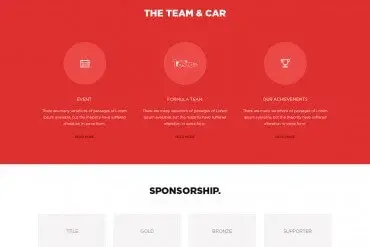
Your website works around the clock: it introduces your business, answers questions, builds trust and turns visitors into customers. Good website design is about much more than looking attractive. It combines strategy, structure, content, visual design, speed and search visibility into an experience that helps real people do what they came to do.
This guide walks through every stage, whether you are planning a new site or improving an existing one.
Start with goals, not pages
Before thinking about colors or layouts, define what the website must achieve:
- Generate inquiries or quote requests
- Sell products online
- Take bookings or appointments
- Build credibility for sales conversations
- Recruit staff
- Educate customers and reduce support calls
Then define how you will measure success: form submissions, calls, sales, bookings or newsletter sign-ups.
Understand your visitors
Who visits your website, and what do they need?
| Visitor type | Typical need |
|---|---|
| New prospect | Understand what you do and whether to trust you |
| Comparison shopper | Prices, packages, differences from competitors |
| Returning customer | Contact details, login, support |
| Job seeker | Culture, openings, how to apply |
| Partner or press | Background, news, contact |
Designing for real tasks keeps the site focused and easy to use.
Plan the structure
Sitemap
List the pages you need and how they relate. A typical small business site might include:
- Home
- Services (overview and individual service pages)
- Portfolio or case studies
- About
- Reviews or testimonials
- Blog or resources
- Contact
Navigation
Keep the main menu short and clear. Use labels customers understand ("Services," "Pricing," "Contact") rather than internal jargon.
Wireframes
Simple layout sketches show what goes where on each page before visual design begins. They help you focus on content and hierarchy.
Design principles that matter
Clear hierarchy
Every page should make it obvious what to read first. Use size, color and spacing to guide the eye from headline to supporting content to call to action.
Consistent branding
Your website should reflect your logo, colors, typography and tone. Read our guide to brand identity to make sure your site expresses the same personality as the rest of your brand.
Strong calls to action
Each page should have a primary next step: "Get a quote," "Book a call," "Shop now." Make buttons visible and descriptive.
White space
Space makes content easier to read and makes a site feel premium.
Trust signals
Real reviews, portfolio work, guarantees, clear contact details and secure checkout reassure visitors.
Mobile-first, responsive design
Many visitors arrive on phones. Responsive design ensures your layout adapts to every screen size. Design the mobile experience deliberately — not as an afterthought — with readable text, tappable buttons and simplified navigation.
Speed and performance
Visitors leave slow websites. Performance is also part of how search engines evaluate pages. Good practices include:
- Optimized, correctly sized images in modern formats
- Minimal, efficient code
- Reliable hosting
- Caching and content delivery networks
- Fonts and scripts loaded thoughtfully
Content that converts
Design and content work together. Effective website content:
- Speaks directly to customer needs
- Explains benefits, not just features
- Uses clear headings and short paragraphs
- Includes real proof — testimonials, portfolio work, results
- Answers common questions
Our guide to website copywriting explains how to write pages that convert.
Accessibility
An accessible website works for people with disabilities — and usually works better for everyone. Key practices include sufficient color contrast, descriptive alt text, keyboard-friendly navigation, clear form labels and readable text sizes.
SEO foundations
Search engine optimization starts with design and structure:
- Logical page structure with descriptive headings
- Unique page titles and meta descriptions
- Fast loading and mobile-friendly layouts
- Clean URLs and internal links
- Structured data where relevant
Read our guide to SEO for small businesses for the full picture.
Choosing a platform
Your website may be built on a content management system, an e-commerce platform or custom code. The right choice depends on how often you update content, whether you sell online and what integrations you need. Our guide to web development explains the options in plain English.
The design process
- Discovery: goals, audience, competitors, content needs
- Planning: sitemap, wireframes, functionality
- Visual design: homepage concept, then inner pages
- Content: writing and gathering images
- Development: building the site, forms and integrations
- Testing: devices, browsers, speed, forms, accessibility
- Launch: domain, hosting, redirects, analytics
- Improvement: monitoring, updates and optimization
Our website design process follows a similar path, with a homepage draft approved before inner pages are designed.
Launch checklist
- All pages proofread
- Forms tested and delivering messages
- Mobile and desktop tested
- Page titles and descriptions set
- Analytics installed
- Old URLs redirected (for redesigns)
- Favicon and social sharing images in place
- SSL certificate active
After launch: keep improving
A website is never truly finished. Review analytics, update content, add new portfolio work and publish helpful articles. Small, regular improvements compound over time.
How much does a website cost?
Costs vary with the number of pages, custom features, content and integrations. Our guide to website design cost explains the main factors, and our web design packages show options for different budgets.
Work with us
Our team designs responsive, fast, search-friendly websites tailored to your business. Explore our website design services, browse our web portfolio, or start with a free quote.
Frequently asked questions
How long does it take to design a website?
A small business website typically takes a few weeks from brief to launch, depending on the number of pages, content readiness and feedback speed. Larger custom sites take longer.
Do I need to provide content for my website?
Usually you provide information about your business, services and images. Many agencies, including ours, can help with professional copywriting and stock photography.
What makes a website design successful?
It helps visitors find what they need quickly, builds trust, loads fast on every device and guides people toward a clear action such as calling, booking or buying.
World Website Designs
Need help with web design?
Award-winning designers, unlimited revisions and 100% ownership rights — with 24/7 support.